A smart golf club tracking system designed from 0 to 1 to help amateur golfers keep track of their equipment during play, directly addressing the common pain point of lost clubs.
By designing a golf-specific tracking experience, we uncovered new value beyond recovery , turning lost clubs into an opportunity for deeper engagement and smarter play.
A team of 2x Product Designers, 1x Engineer, 1x Technical Program Manager, 1x Industrial Designers
Contribution
0-to-1 UX development, UI Design, Visual, Research
Duration
12.2023 - Current
Device Setup 60 Seconds Faster
Reduced setup time by 50% vs. competitors, enabling users to onboard twice as fast, outperforming rivals in both speed and usability.
20% Fewer Drop-Offs Through Better UX
By streamlining flows and minimizing friction vs. competitors, we created a more seamless experience that improved retention.
How might we design a golf tracker that integrates seamlessly into gameplay without adding setup friction?
Amateur golfers often misplace clubs on expansive courses due to the lack of organization systems and support, such as caddies, that help pros stay organized.

Problem 1 - Behavior Research
Searching for lost clubs disrupts gameplay and creates a frustrating user experience.
Problem 2 - Psychological Observation
First-time users hesitate with with a complicated setup flow which can lead to frustration and abandonment.
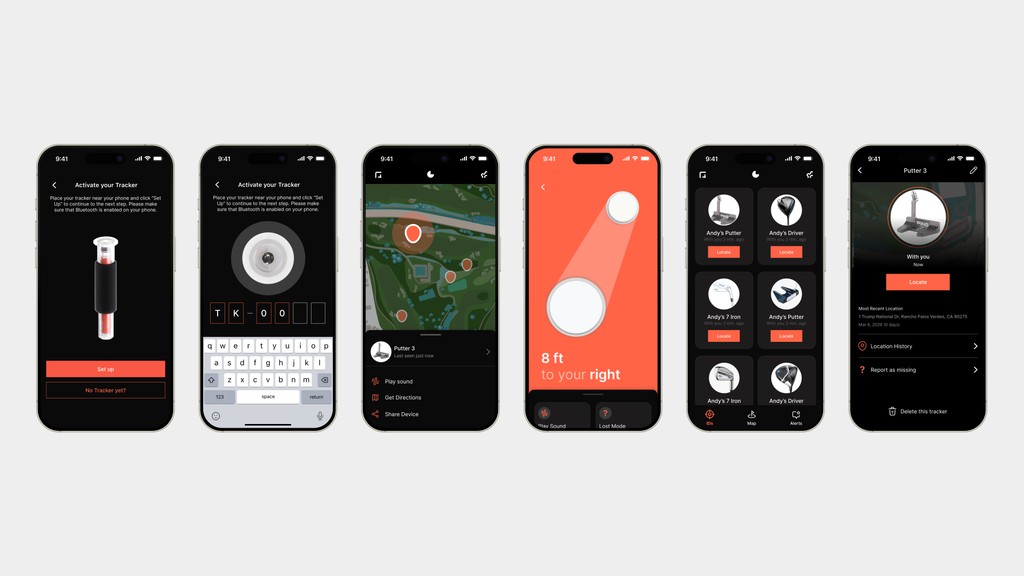
Key Problem
We saw an opportunity to define and streamline the club-finding experience, aiming to make it more intuitive and engaging ultimately boosting user retention.
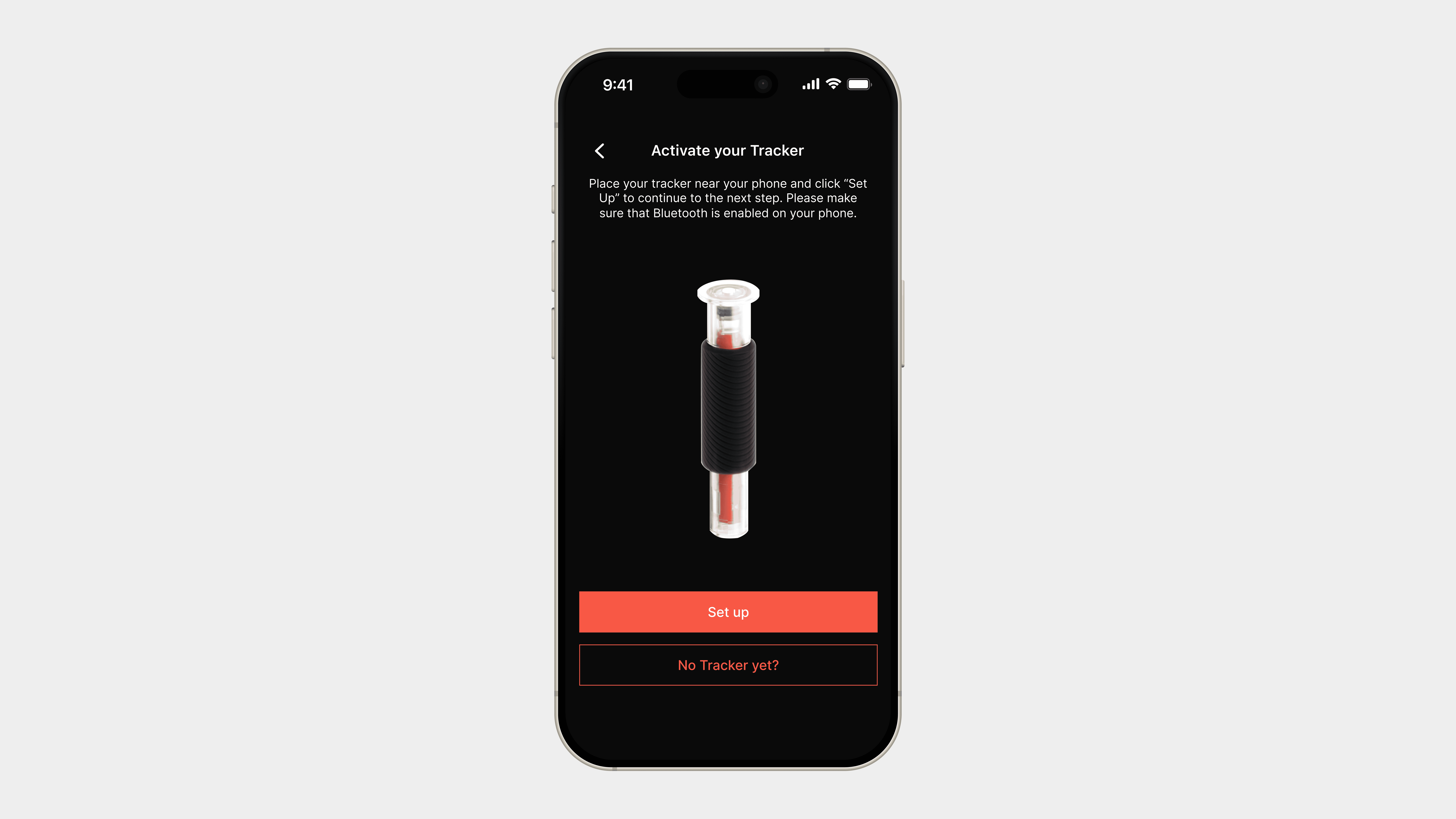
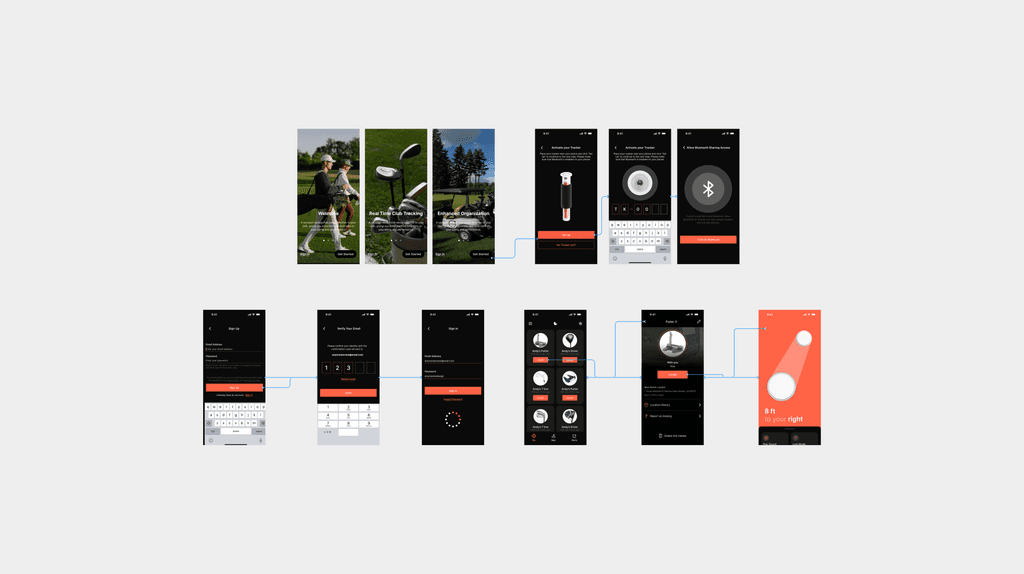
Setup with Tracker Device
Begin the onboarding process by syncing the tracker device with the app to start tracking your golf clubs.
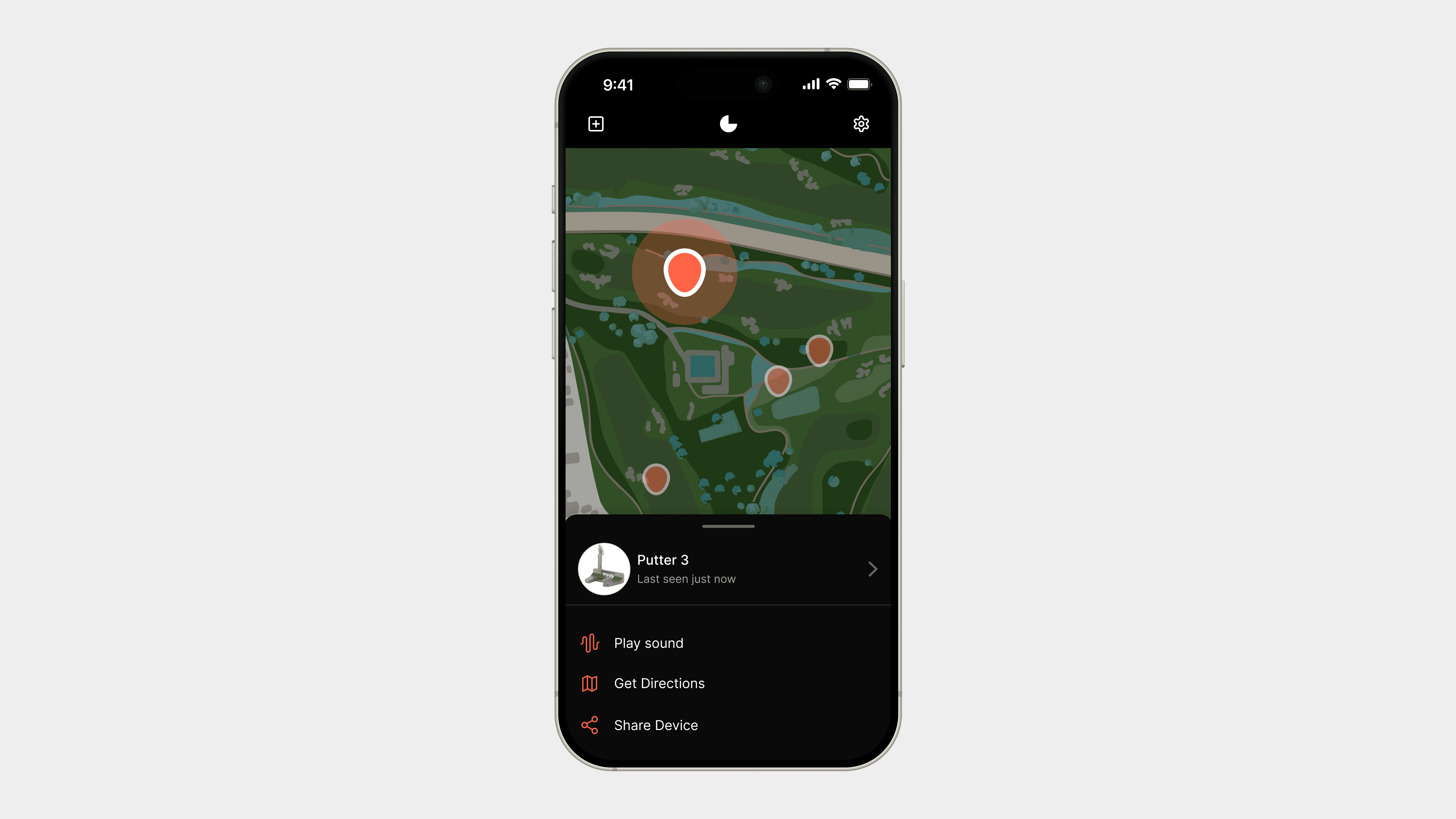
Track Your Clubs' Location
View real-time location data of your clubs to ensure they are never left behind during your game.
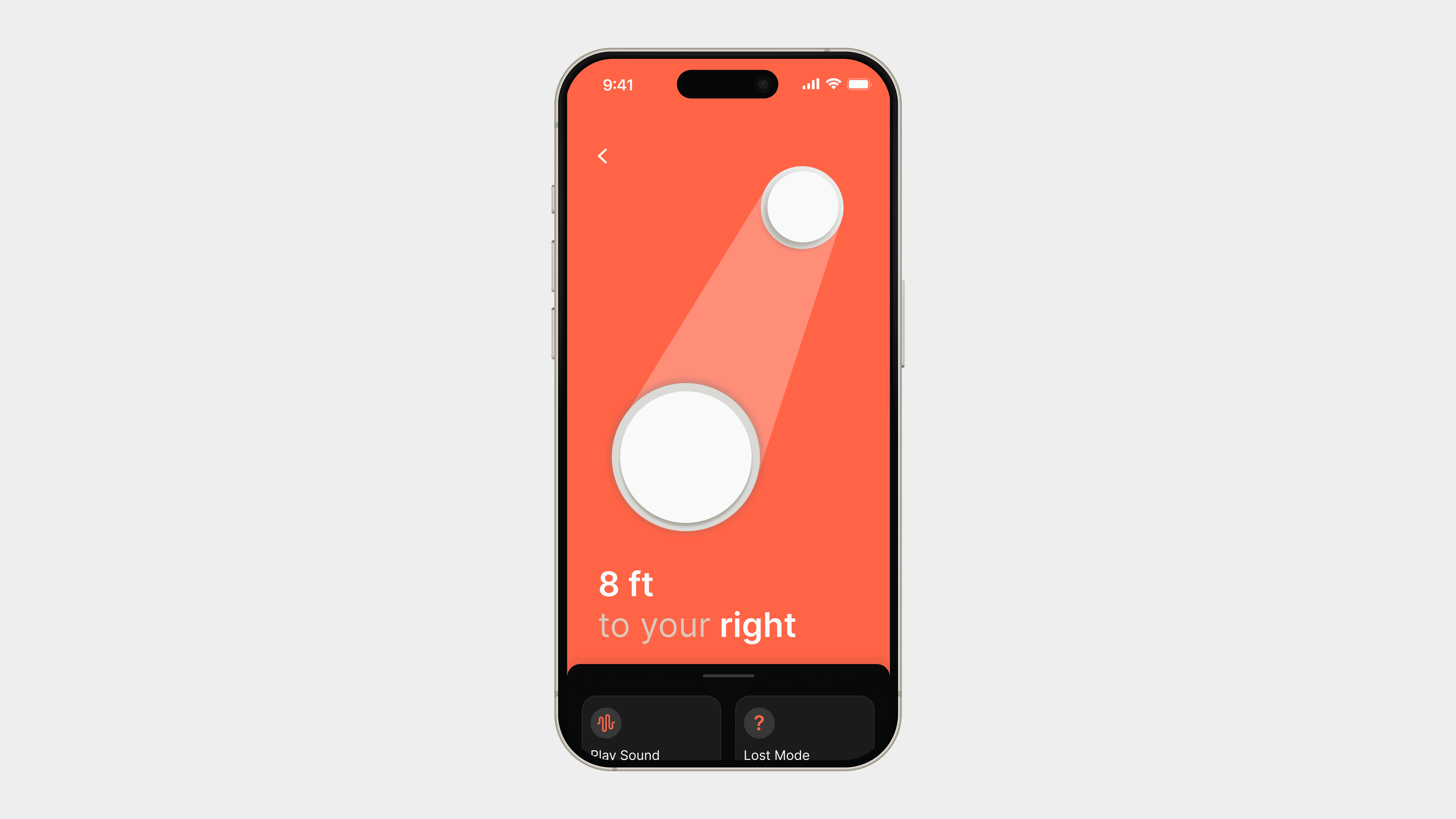
Get Directional Guidance to Lost Clubs
Receive precise directions to easily locate any misplaced clubs on the course.
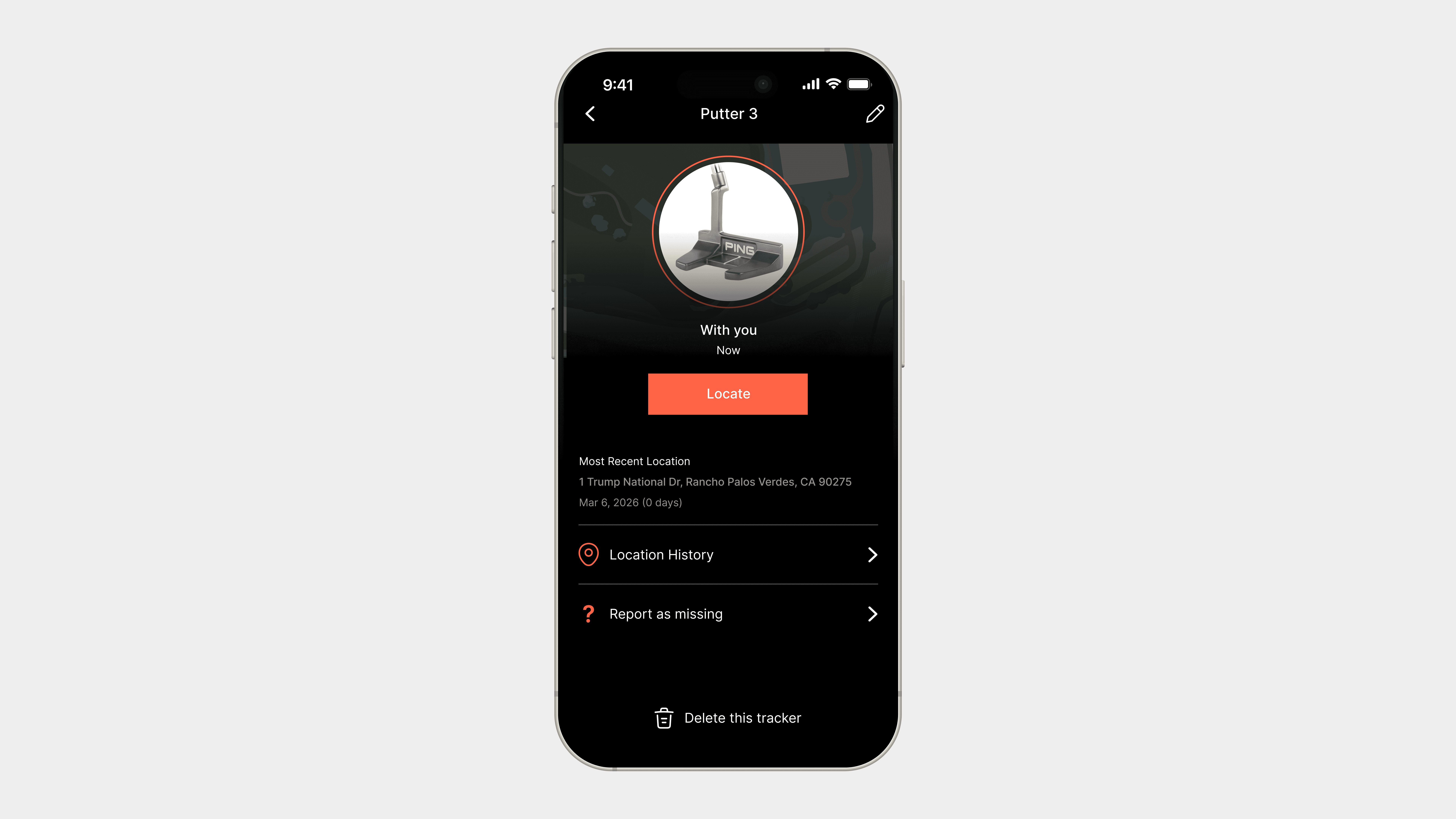
View Latest Club Status
Stay updated on the status of each club, including location and whether it's been left behind or still in use.
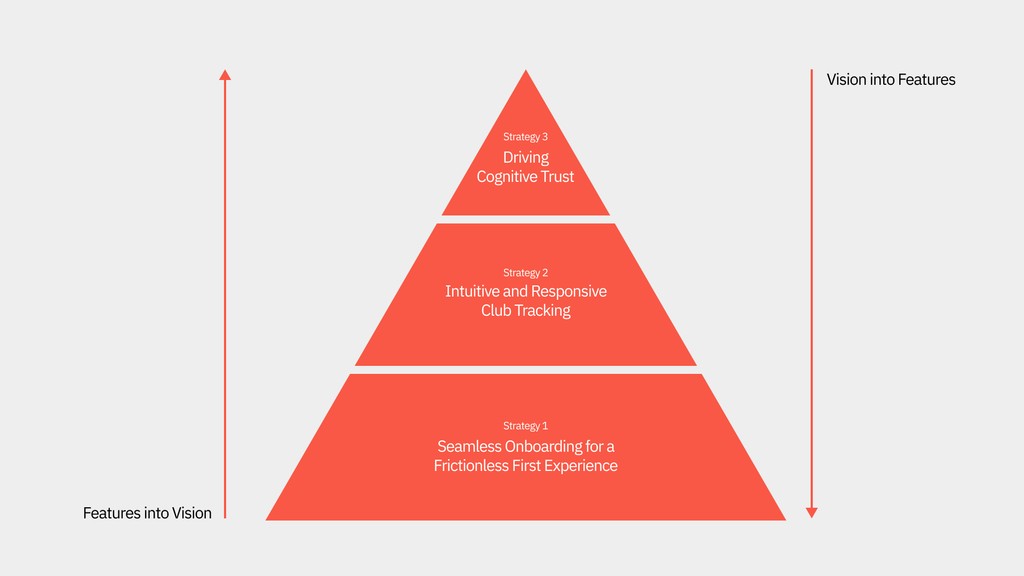
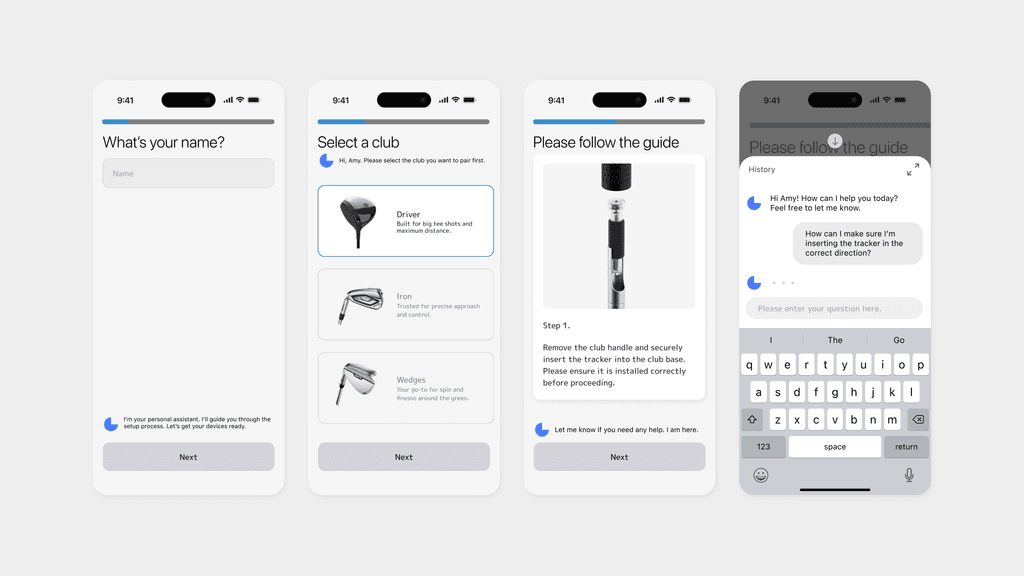
Design Iteration 1: Phased Activation with Chatbot
✅ Pros: Conversational guidance makes the experience more approachable, especially for older users or those new to tech.
⚠️ Cons: Multiple interactions can be time-consuming, frustrating users who prefer quick, efficient actions.
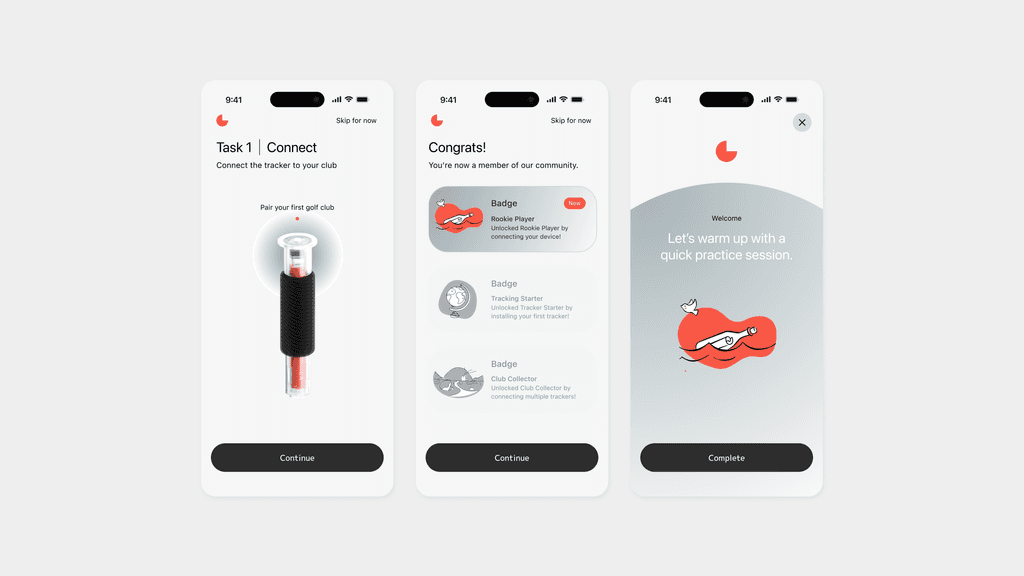
Design Iteration 2: Gamified Onboarding
✅Pros: Increases engagement by turning onboarding into a fun, rewarding experience, perfect for younger or more active users.
⚠️ Cons: May overwhelm older users or those looking for a more straightforward, task-focused approach.
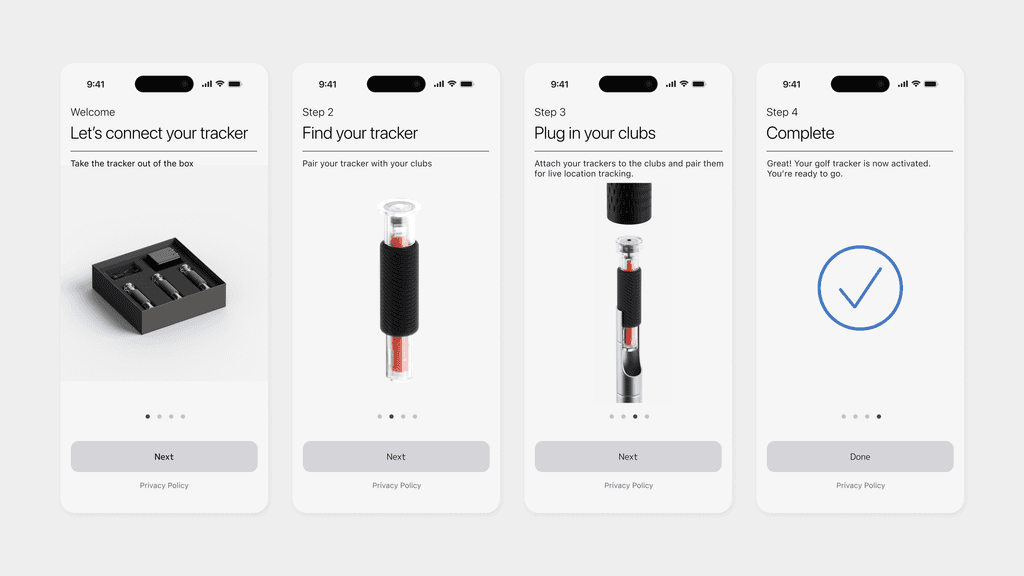
Design Iteration 3: Step-by-Step Visual Guide
✅ Pros 1: Visual Clarity Enhances Understanding
Clear, visual instructions simplify the learning process, making it accessible for users of all ages and tech backgrounds.
✅ Pros 2: Accessible for Diverse User Groups
This approach caters to both visual learners and users with varying levels of tech-savviness, making the experience more inclusive.
Thoughts I got during the process
Reflection
Emotional Support Value
Building a more connected companion experience. Adding personalized prompts and a user achievement system, especially to create a sense of companionship during solo practice sessions.
Search Experience
Enhancing tracker accuracy and presentation. For example, using guided animations or “hotspot maps” to help users quickly locate their clubs.
Community System
Creating a user-driven space for interaction. Introducing sharing features and community forums to encourage users to share their practice stories, course reviews, or club recovery experiences.